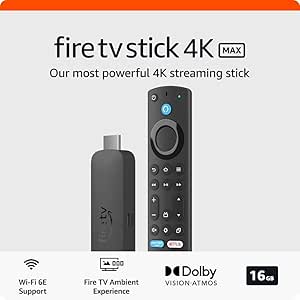

Best IPTV Streaming Apps for Firestick and Android Box in 2026
A good IPTV setup lives or dies by the player app you use. The service matters, of course, but the app is what you touch every day, and a bad one can make live TV feel clunky fast.
This guide focuses on IPTV player apps for Firestick and Android TV boxes, not only content providers. In March 2026, most people want the same things: easy setup, solid remote support, guide data, catch-up when available, and playback that doesn't feel like a shopping cart with a bad wheel. Let's sort out which apps still make sense now.
What makes an IPTV app worth using on Firestick and Android boxes
Before picking any app, look past hype and check the basics. The best IPTV apps support M3U playlists, Xtream Codes login, and EPG data. Those three pieces decide how easy setup will be and how complete your channel guide feels.
After that, daily-use features matter more than flashy screenshots. Favorites, search, catch-up support, parental controls, and external player support can save a lot of frustration. If you switch between sports, movies, and local channels often, a clean TV-style layout makes a bigger difference than most people expect.
A good player should also fit the device. Firestick users need apps that stay light and stable because storage and memory are tighter. Android box users often get more room to tweak layouts, players, and playback settings. If you want a quick broader view of what people are using now, TROYPOINT's 2026 IPTV player roundup lines up with the same core names that keep coming up this year.
The features that matter most for smooth daily streaming
Fast channel switching is a quiet hero feature. When an app takes too long to open a stream, it makes live TV feel broken, even when your provider is fine.
Clear menus matter too. On a TV remote, you don't want tiny buttons or confusing side panels. The better apps keep your guide easy to read, let you sort channels, and make favorites simple to reach.
Playlist handling is another big one. Some users load one playlist and never touch it again. Others manage several lists, group channels, and tweak guide sources. If you're the second type, you need an app that won't fight you.
Multi-screen support can help in homes with more than one TV habit. Sports fans, for example, often like picture-in-picture or multi-view when the app and device can handle it.
Why Firestick and Android TV boxes need slightly different app strengths
Firestick devices reward efficient apps. Small app size, quick loading, and low memory use help a lot, especially on older sticks. An app can look great on paper and still feel slow if it's too heavy for the device.
Android boxes give you more breathing room. Many models offer better storage, more USB options, and fewer limits on sideloading. That makes them a stronger fit for users who want custom players, backup options, or more advanced settings.
So the right choice often depends on what you own. Firestick owners usually want simplicity and speed. Android box users may care more about flexibility.
The best IPTV apps to try in 2026
The strongest names in 2026 are still TiviMate, IPTV Smarters, XCIPTV, and Televizo. They all solve the same core problem, but they don't feel the same in daily use.
The app is the player, not the channel source. Your playlist, login type, and provider still shape the final experience.
Pluto TV and Xumo also deserve a quick mention. They are useful free streaming apps, but they are not traditional IPTV players. You don't load your own M3U or Xtream account into them.
TiviMate, best for people who want a polished TV-style experience
TiviMate is still the easiest app to recommend for users who want a cable-like feel. Its layout looks built for a TV screen first, which sounds obvious, but many apps still miss that mark.
The guide is clean, the menus are easy to learn, and it works well on both Firestick and Android TV hardware. For heavy live TV users, that polished look adds up fast over a week of use. A lot of people also like its support for multiple playlists and richer guide handling.
Some advanced features may require a paid unlock, and that's the main downside. If you only need a simple free player, it may feel like more app than you need. Still, if you want to tune it properly, a detailed TiviMate settings guide shows why so many users keep coming back to it.
IPTV Smarters, best for easy setup across many devices
IPTV Smarters stays popular because setup feels familiar and direct. If your provider gives you Xtream Codes details, this app is often one of the easiest places to enter them and get going.
That matters for homes with several screens. Smarters is a common pick for people who want the same app on a TV box, phone, and tablet. The interface is not as refined as TiviMate for full-time TV viewing, but it's approachable.
Its best strength is consistency. You can hand it to a beginner and usually avoid a long lesson. The trade-off is that power users may want more layout control or a stronger TV guide experience.
XCIPTV and Televizo, strong picks for free use and flexible playback
XCIPTV is a solid free option. It's often praised for speed, support for external players, and simple favorites management. If you like using another player for certain streams, XCIPTV makes that easier than some rivals.
Televizo feels more modern than many lightweight apps. It supports M3U and Xtream Codes, includes auto-update support, and offers backup and restore tools. Premium features can add parental controls, which helps in family setups.
Between the two, XCIPTV feels better for people who want a quick free app and external playback freedom. Televizo makes more sense if you want a cleaner design and room to grow into extra features later.
Pluto TV, Xumo TV, and Live Net TV, when free streaming is enough
Pluto TV and Xumo Play fit a different lane. They offer free, legal live channels and on-demand content, supported by ads. You don't add your own provider login, and you don't manage playlists.
That makes them easier for casual users. If you want background TV, news, classic shows, or light channel surfing, they work well. They are also a safe starting point for people who don't want to mess with IPTV setup yet.
Live Net TV is often mentioned by users looking for free channel apps. Still, it's better to treat it as a separate type of streaming app, not a full IPTV player with the same playlist and guide structure.
How to choose the right IPTV app for your setup
The best app depends on how you watch, not only what's popular.
Here's the short version:
- Beginners: IPTV Smarters is often the easiest first step.
- Heavy live TV users: TiviMate usually feels best for all-day viewing.
- Free-first users: XCIPTV is a strong place to start.
- Families or mixed users: Televizo can make sense because of its design and optional parental tools.
Best picks for beginners, power users, and families
If you want the least friction, start with Smarters. It handles common login formats well, and the layout is easy to explain.
If you watch a lot of live channels every day, TiviMate is hard to beat. It feels built for people who browse the guide often and want a more polished TV flow.
Families usually care about easy switching and child-safe controls. In that case, Televizo deserves a look. XCIPTV works well for users who want speed without paying first.
Check your playlist type, guide support, and device limits before you install
App choice also depends on what your IPTV service gives you. Some services send an M3U URL plus EPG link. Others send Xtream Codes details. Not every app handles both with the same ease.
Older Firesticks can also force your hand. A flashy app that runs great on a new Android box may feel slower on a small stick. If your device has limited storage, keep the app light and clean.
Guide data matters too. Without a proper EPG, even a great player feels half-finished. So before you install, confirm your login type, your guide source, and the age of your device.
How to install IPTV apps on Firestick and Android box safely
Many Firestick installs still happen through Downloader in 2026. On some Android TV boxes, you may find the app in a store. On others, sideloading is still the normal route. If you need a current reference for the process, this Downloader setup guide for Firestick and Android TV covers the general flow.
Simple Firestick setup with Downloader and app login details
The Firestick path is usually short:
- Go to Settings, then enable installs for unknown apps.
- Install Downloader from the Amazon Appstore.
- Enter the app code or direct URL from a trusted source.
- Open the app and add your M3U link or Xtream Codes details.
After that, add your EPG if it isn't loaded by default. Then restart the app once so the playlist and guide can sync cleanly.
Android box setup tips, updates, and common install mistakes
Android boxes are more flexible, but they also invite more mistakes. Some apps are available through Google Play on certain boxes, which is the easiest route. If not, sideloading works much like it does on Firestick.
The most common problems are simple ones. People paste the wrong login format, skip the EPG link, or use an old app version. Others install from random sources and then wonder why playback feels unstable. Stick to trusted downloads and keep the app updated.
Use IPTV apps the smart way, legal checks, privacy tips, and better streaming
IPTV apps themselves are only tools. The legal side depends on the service, playlist, or content source you connect to them. That's why it helps to read a current guide to legal IPTV services in the USA before choosing a provider.
Why the app itself is not the same as the IPTV service
This mix-up causes a lot of confusion. TiviMate, Smarters, XCIPTV, and Televizo don't come with channels on their own. They display and organize the service you bring into them.
That's why two people can use the same app and have very different results. One may have clean guide data and stable streams. Another may have poor playlists and blame the app for everything.
Quick tips to cut buffering and protect your privacy
Start with your connection. Wired Ethernet helps most, but strong Wi-Fi can still work well. Keep the app updated, test your playlist, and don't overload an older device with too many extras.
If privacy matters to you, some users also choose a trusted VPN. Names that often come up include Surfshark, ExpressVPN, and PureVPN. A VPN won't fix a bad provider, but it can help with privacy and may reduce ISP throttling in some cases.
Install our apps on your device easily with help from AI-IPTV
If you already have an AI-IPTV plan, setup doesn't need to turn into a weekend project. The service supports popular devices like Firestick, Android TV boxes, phones, and tablets, and it's built around the same app types covered above.
That means you can match the app to your device and comfort level. If you want help installing or logging in, ask for support and get the app loaded the easy way.
The best IPTV app in 2026 is the one you'll enjoy using every night, not the one with the longest feature list. TiviMate stands out for a polished TV feel, IPTV Smarters is the easy cross-device pick, XCIPTV is a strong free option, and Televizo gives you useful flexibility.
Match the app to your device, your playlist type, and your patience for setup. Then test one or two with a trusted service and keep the one that feels simplest when the remote is in your hand.